TEST BUILD — an unstable work in progress, not the released simulator. Things here are half-finished on purpose. The stable version is at reactordynamics.com.
SLS-100 · single-loop PWR · 100 MWe

Run a nuclear
power plant
from your
browser.

Real reactor physics, with guided walkthroughs that take you from cold shutdown to full power and back right in your browser.

Enter the control room 🧪 PWR2 physics rebuild — dev preview (true values, no instruments)
Alpha
build
Desktop
only
No
install
Free
& open
Works
offline
New: full
walkthroughs
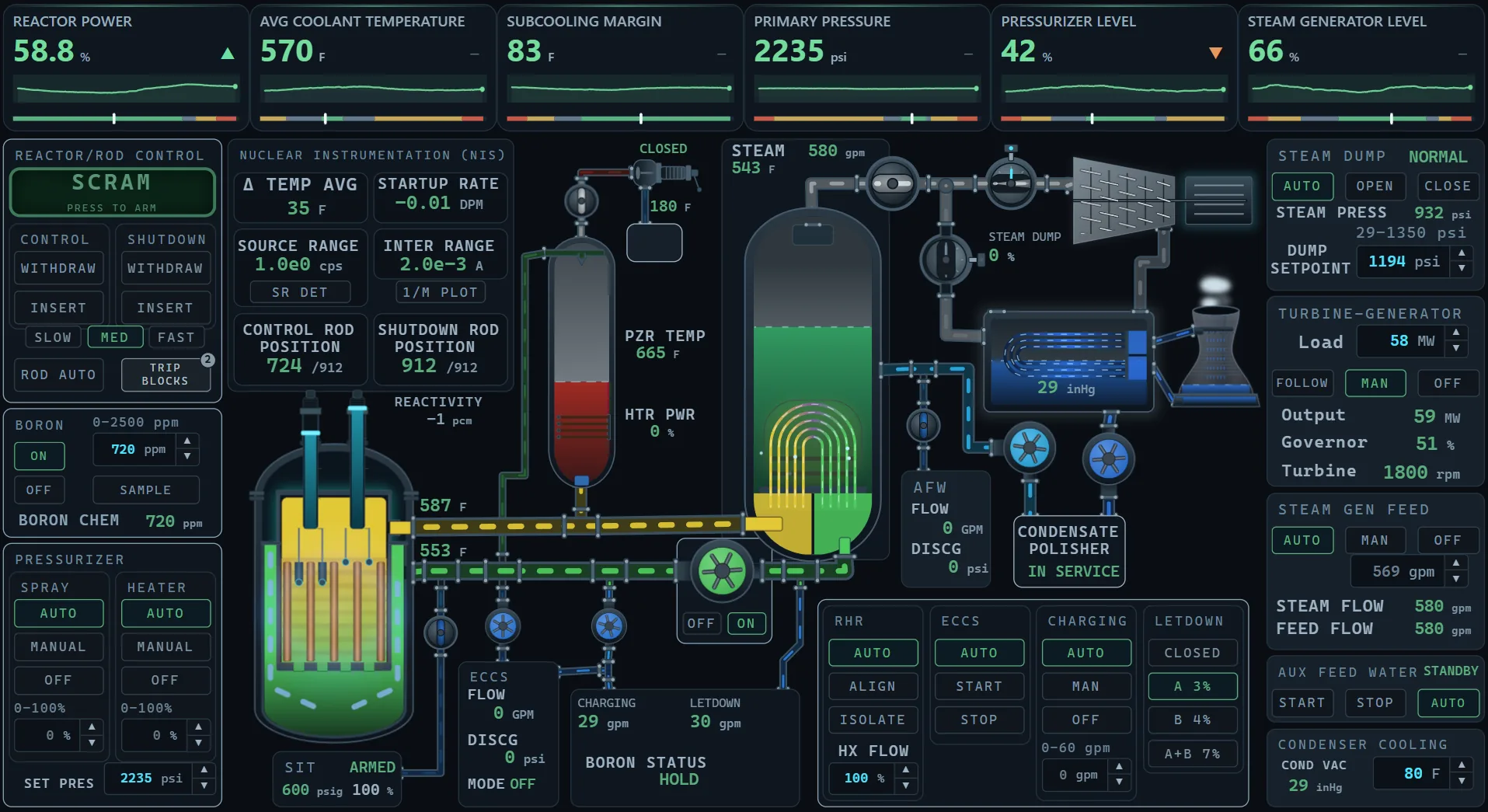
The Reactor Dynamics PWR control-room interface 123 1Core & rods2Pressurizer3Steam generator
  1. 1Core & rods
  2. 2Pressurizer
  3. 3Steam generator

FIG. 1 — THE SLS-100 BOARD, AT 59 % POWER

Raise turbine load 25 MWe and reactor power climbs 25 points before you touch a rod.

Recorded in the simulator from 50 % power: load 50→75 MWe, rods out 20 steps, load 75→40 MWe, rods in 20 steps. Average coolant temperature (Tavg) falls 24 °F on the way up; pressure spikes to 2302 psi on the way down.

Strip chart: reactor power, average coolant temperature, pressure and electrical output through two load changes and two rod moves.
  1. Load 50→75 MWe
  2. Rods out 20 steps
  3. Load 75→40 MWe
  4. Rods in 20 steps

FIG. 2 — STRIP CHART, 30 MIN FROM 50 % POWER

In the simulator

Operate the plant

Rods, boron, pressurizer, feed, steam, turbine.

Free play

Learn the dynamics

Core, primary, steam generator and turbine are one coupled model, so a load change moves power, coolant temperature and pressure together.

Physics page

Casualties

Trips, stuck valves, pump trips, tube leaks, loss of heat sink. Inject them and work the recovery.

Casualty procedures

Startup and shutdown

Guided walkthroughs from cold shutdown to full power and back.

Start a walkthrough

Atomic Sandbox

An early experiment: watch neutrons in a block of fuel.

Open the lab